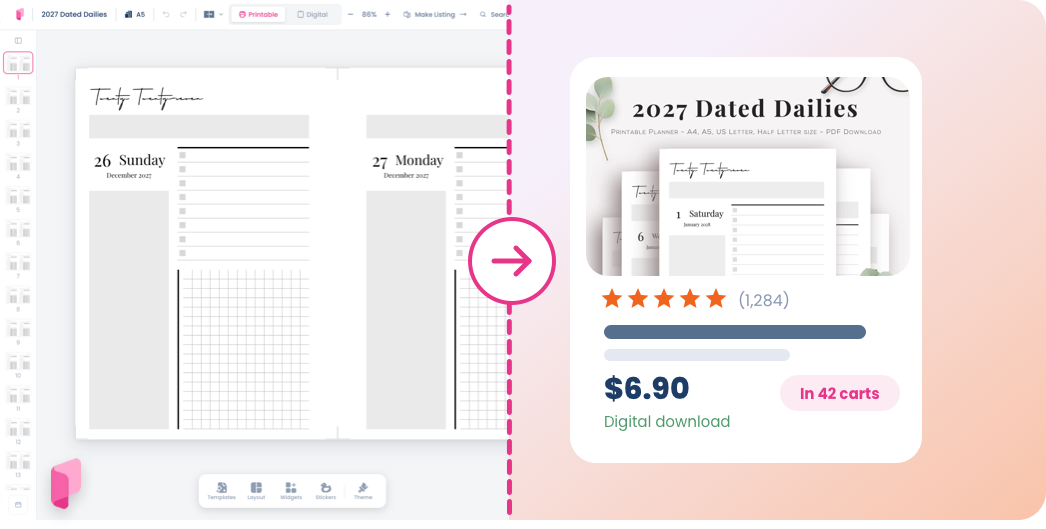
Etsy Publisher takes a planner you've made in Planify Pro and turns it into a live Etsy listing, without the usual round trip of exporting PDFs, resizing mockups and filling in the same fields by hand. Title, description, tags, category, images and the files buyers download are all handled in one four-step flow.
It's included with any Business plan subscription.
Connect your Etsy shop first
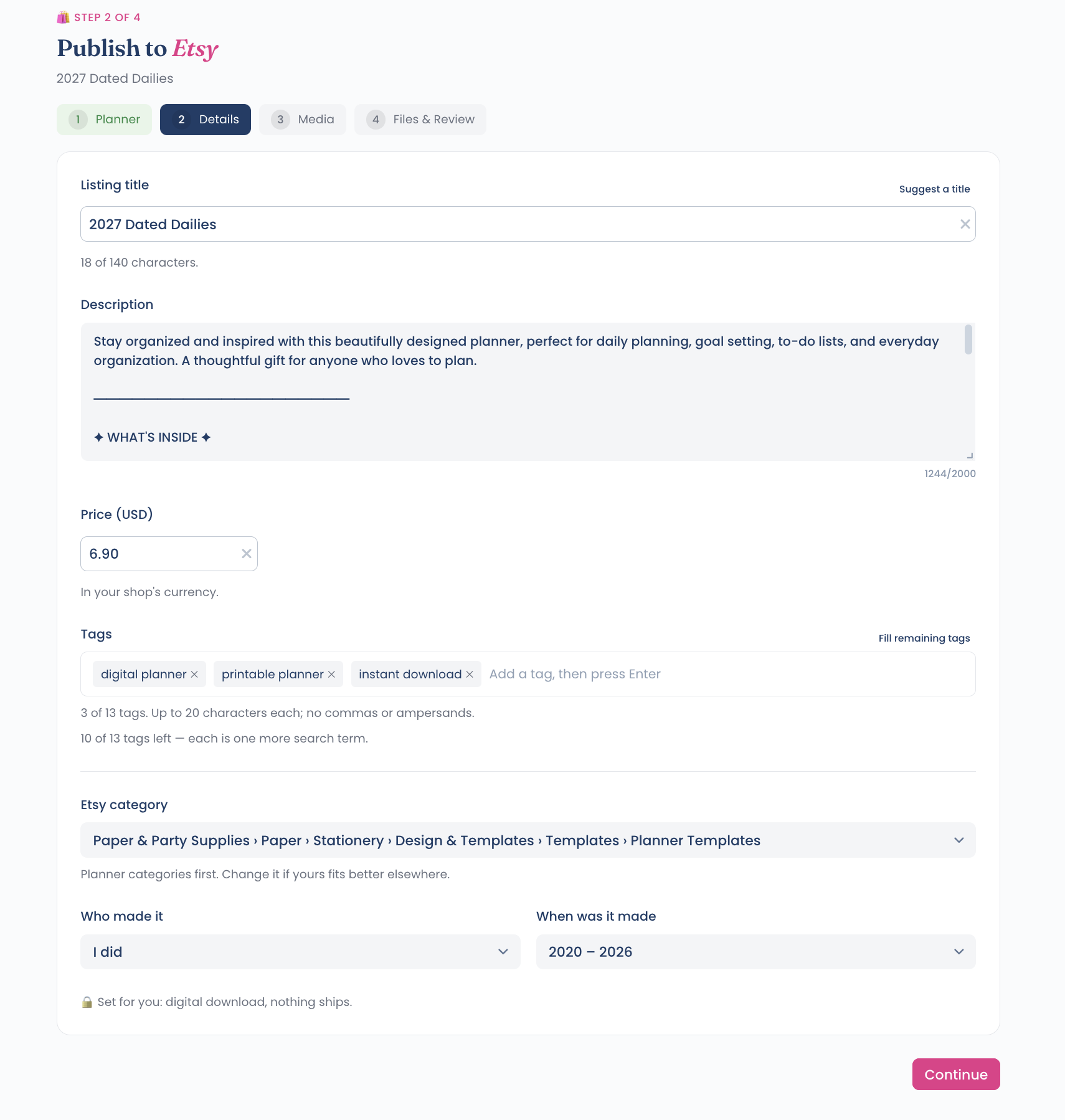
Open Business → Etsy Publisher in the left sidebar and connect your shop before anything else. Etsy's authorisation opens in a popup, so use Chrome. Firefox's stricter popup and cookie handling tends to block the connection partway through.
You only do this once. After that the shop stays connected and every listing goes out under it.
Step 1: Mark a planner for Etsy
Go to My Collection, find the planner you want to sell and open its menu from the card. Choose Sell on Etsy.
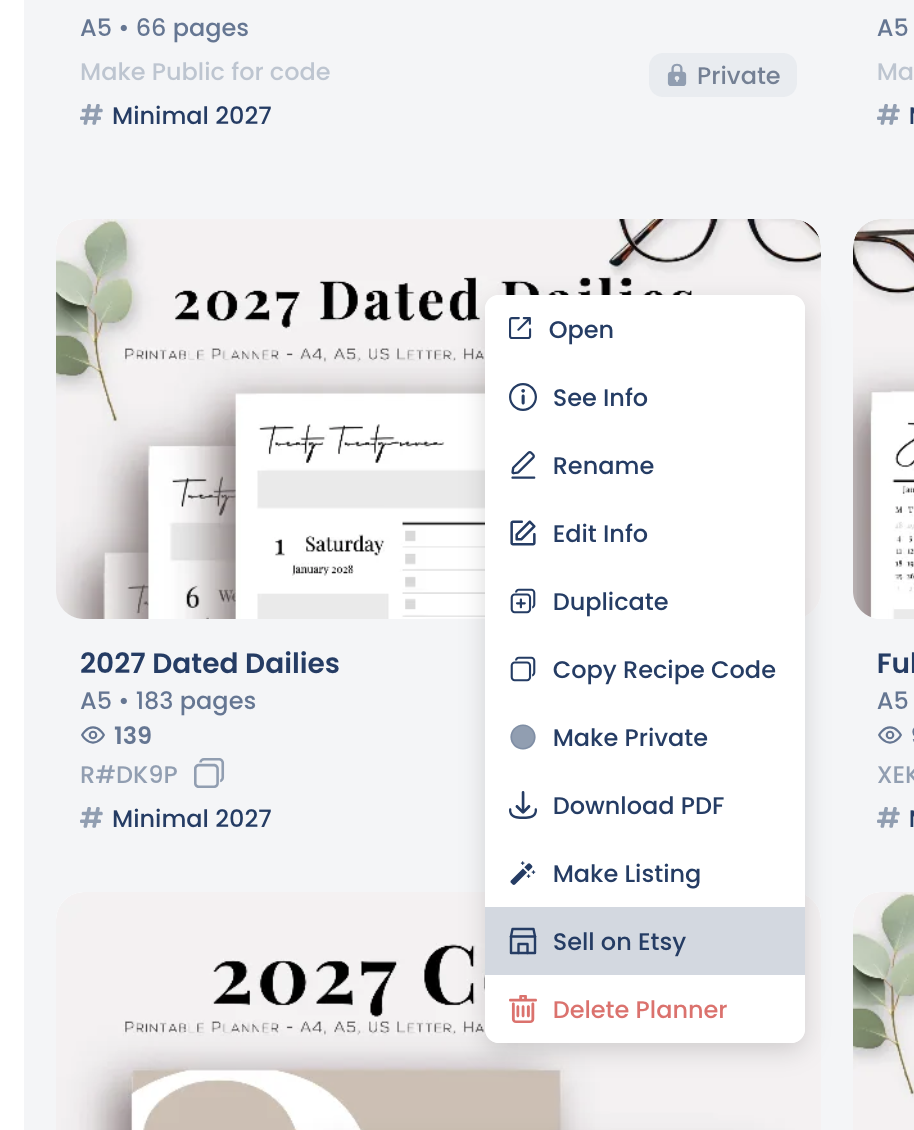
That moves the planner into Etsy Publisher's queue. You can mark as many as you like in one sitting and work through them later.
Step 2: Pick it up in Etsy Publisher
Open Business → Etsy Publisher. Every planner you've marked is waiting there. Select one and the four-step flow begins: Planner, Details, Media, then Files and Review.
Step 3: Details
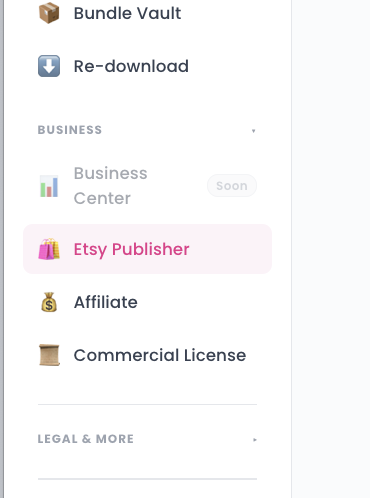
This is the listing copy, and most of it is pre-filled.
Listing title — up to 140 characters. Suggest a title writes one from the planner if you'd rather not start from scratch.
Description — arrives pre-written, with a "What's inside" section built from the planner itself. Up to 2,000 characters.
Price — in your shop's currency.
Tags — Etsy gives you 13, each up to 20 characters, with no commas or ampersands. Fill remaining tags completes the set for you. Every unused slot is a search term you aren't matching, so use all 13.
Etsy category — set to Planner Templates by default, changeable if yours fits better elsewhere.
Who made it and when — plus the digital download setting, which is handled for you, since nothing ships.
Step 4: Media
Up to 10 images, and the first is your cover in Etsy search, so put your strongest one first. Drag to reorder.
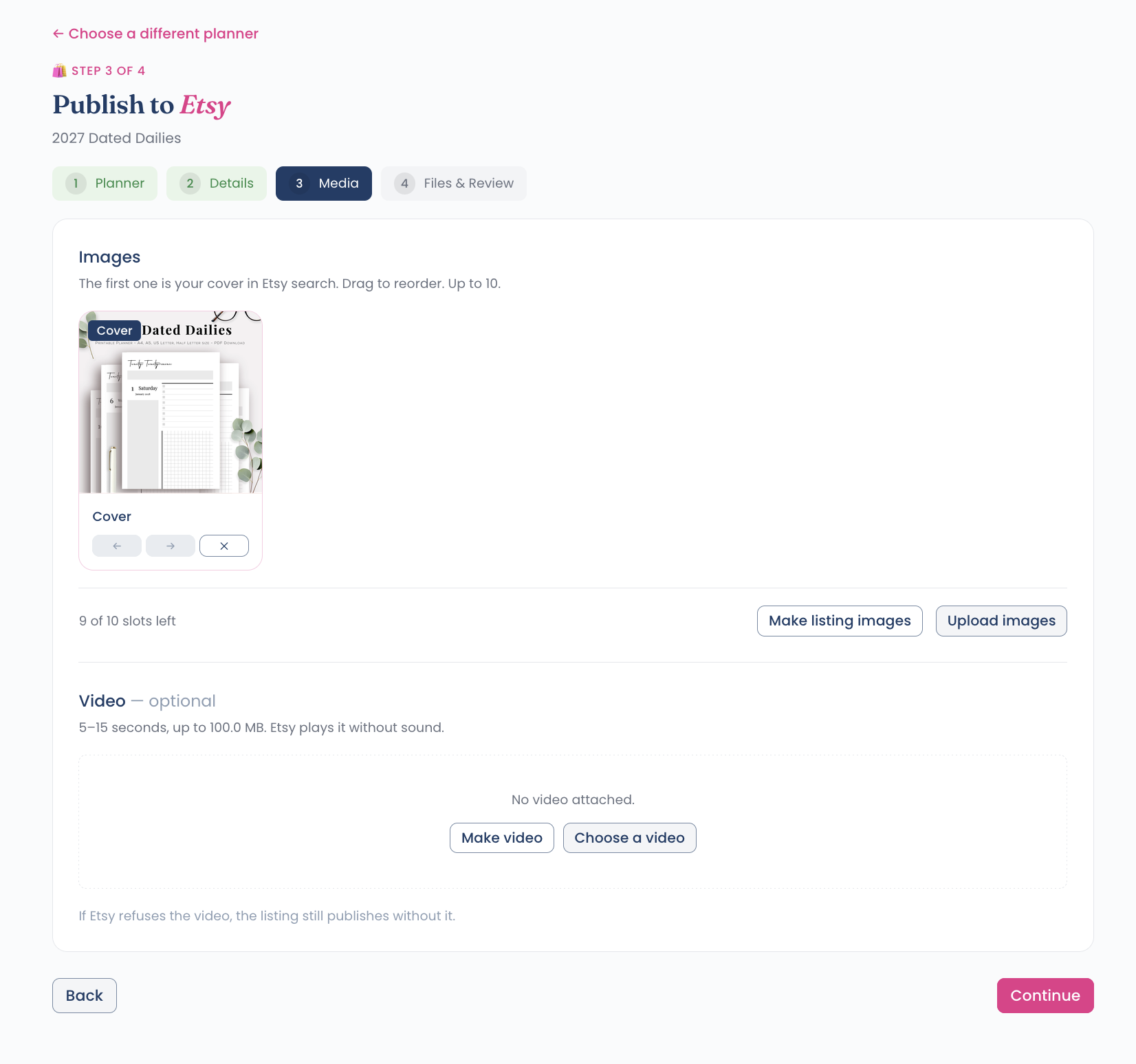
Make listing images opens the listing image maker, which builds mockups from your planner pages. If you haven't used it, see the listing image maker guide or watch the walkthrough on YouTube. You can also upload your own.
A video is optional: 5 to 15 seconds, up to 100MB. Etsy plays it without sound. If Etsy rejects it, the listing still publishes.
Step 5: Files and review
Etsy allows 5 files of up to 20MB each, and that limit is per file rather than a total. Buyers receive everything you attach.
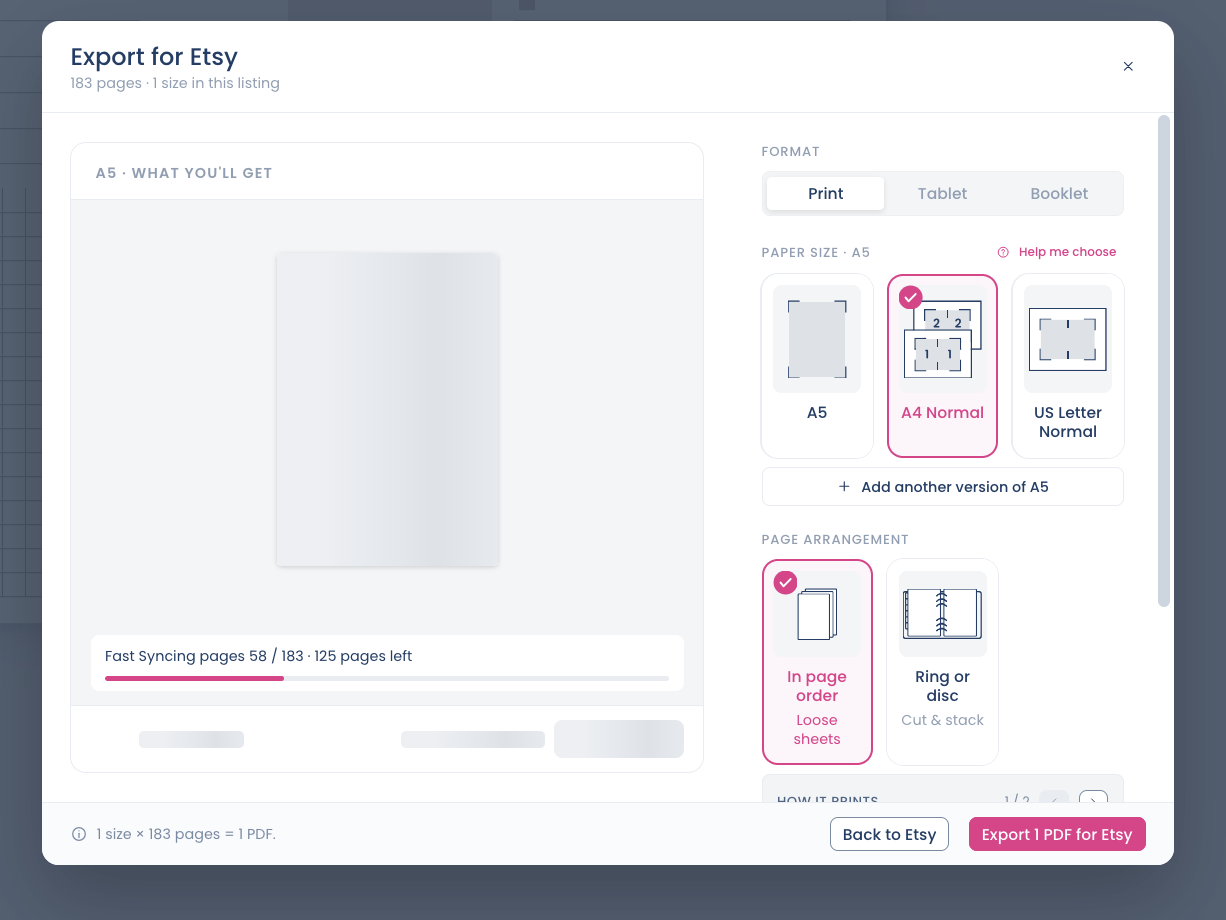
Open export wizard takes one trip to the editor and brings the PDF straight back. Inside it you choose:
Format — Print, Tablet or Booklet.
Paper size — A5, A4 or US Letter, and you can add another version of the same size.
Page arrangement — in page order for loose sheets, or ring and disc for cut and stack.
Or drop in your own PDF or ZIP. A ZIP counts as a single file, which is how several print sizes can share one slot.
Multiple sizes come through automatically
If your planner was built with Planify Pro's multiple sizes feature, so one project holds the same daily planner in several sizes, every one of those sizes appears here. Each becomes its own PDF, and you can attach them all to the same listing, which is exactly what buyers expect from a printable.
Publishing
The review screen shows everything one last time, along with a score and a short list of things worth polishing: a longer title, more tags, more images, at least one file attached. They're suggestions, and none of them stops you publishing.
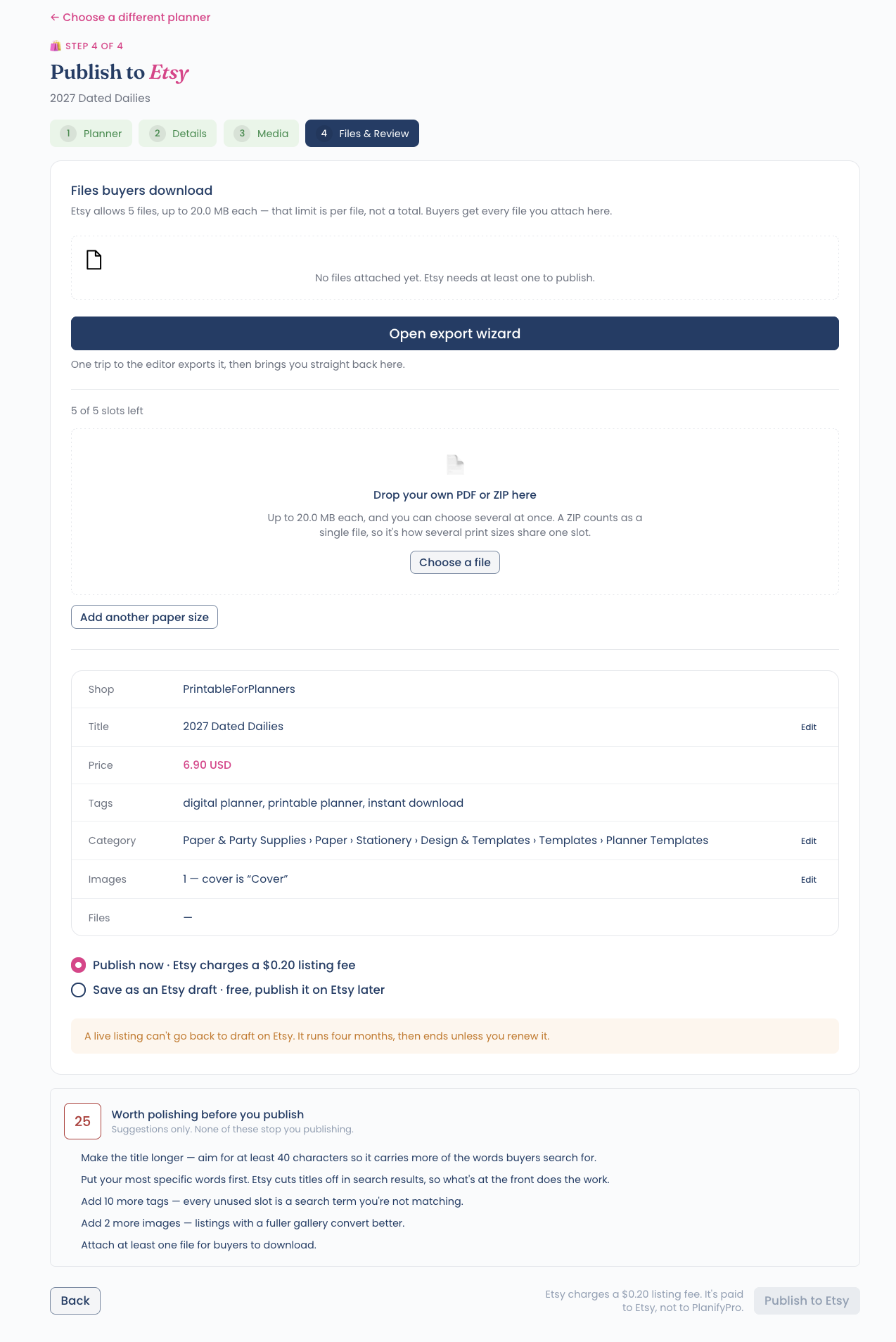
Then choose:
Publish now — Etsy charges a $0.20 listing fee, paid to Etsy rather than to Planify Pro.
Save as an Etsy draft — free, and you publish it on Etsy when you're ready.
One thing to know before you choose: a live Etsy listing can't go back to draft, and it runs for four months before it ends unless you renew it.
Getting more from each listing
Etsy Publisher comes with every Business tier, alongside the commercial licence that lets you sell what you design. See the pricing page for what each tier includes.
If you're new to selling printables, how to sell planners on Etsy covers pricing, shop setup and what buyers look for, and Etsy listing policy covers the rules worth knowing before you publish.
